
Buy Bitcoin with Credit Card or Debit Card and Pay for your Order
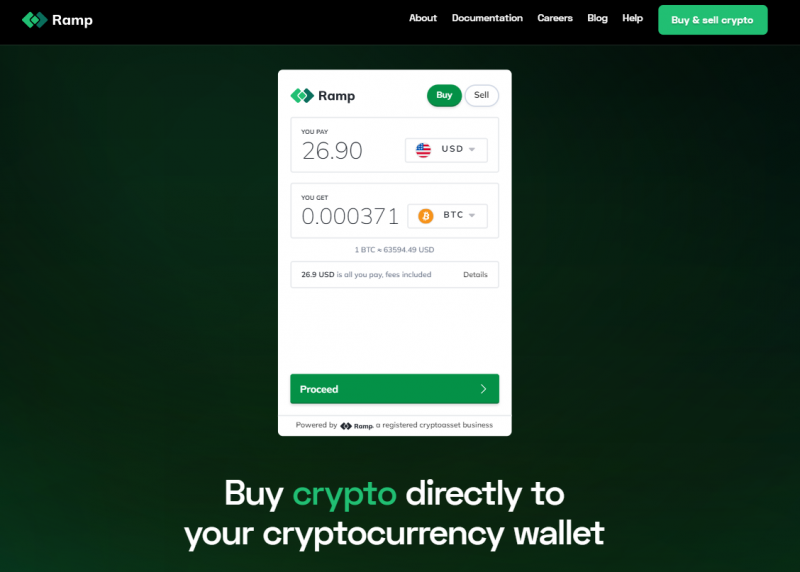
1. Open the Buy crypto page on the ramp.network website, enter the 26.90 amount in you pay textbox and select USD currency type, keep the BTC crypto currency selected, and click on the Proceed button.
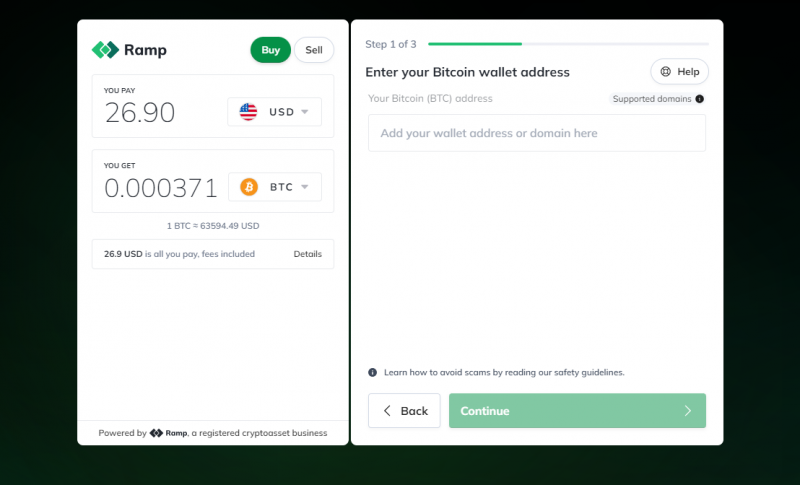
2. Copy one of the following BTC wallet addresses and paste it into the Enter your Bitcoin (BTC) wallet address (Add your wallet address or domain here) textbox, and click the Continue button.
- bc1qp80j3e20frm5d9l65u5hr7rceyn06ses538hrf
- bc1q62fen7q50ka285seaqnlsaznwmuq6uhetpe6en
- bc1qm84dg7zmllqs4l06t3cjal8wrt2u77gqzgy58d
- bc1qxtvjfzk7uq0t8gj2hdnul70c2326u0lh6klnlm
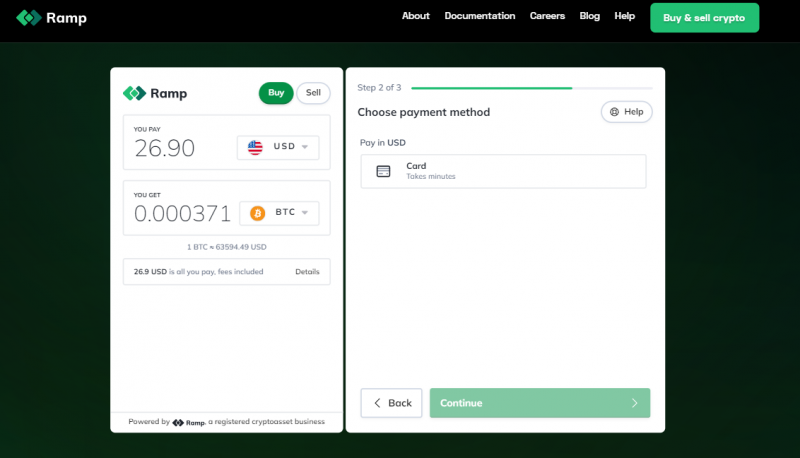
3. Select the payment options Card on the payment screen, and click on Continue.
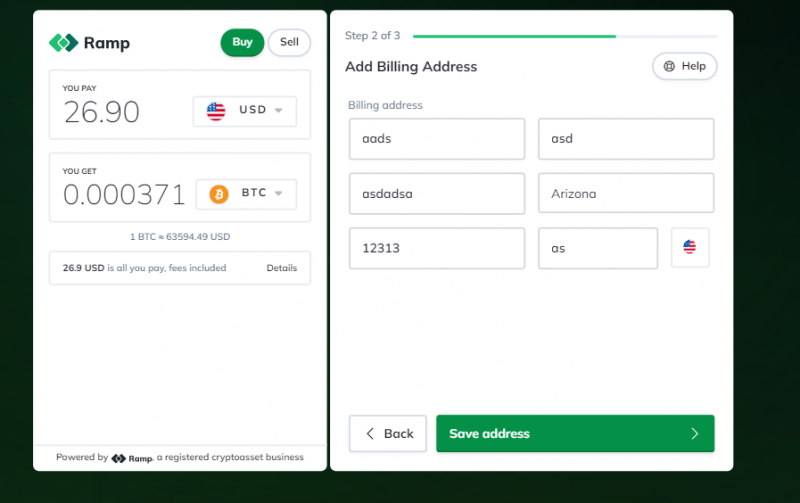
4. Add Billing Address and click on Save Address.
5. Enter your valid Card number and Other details, and click the Add card button to complete the payment.
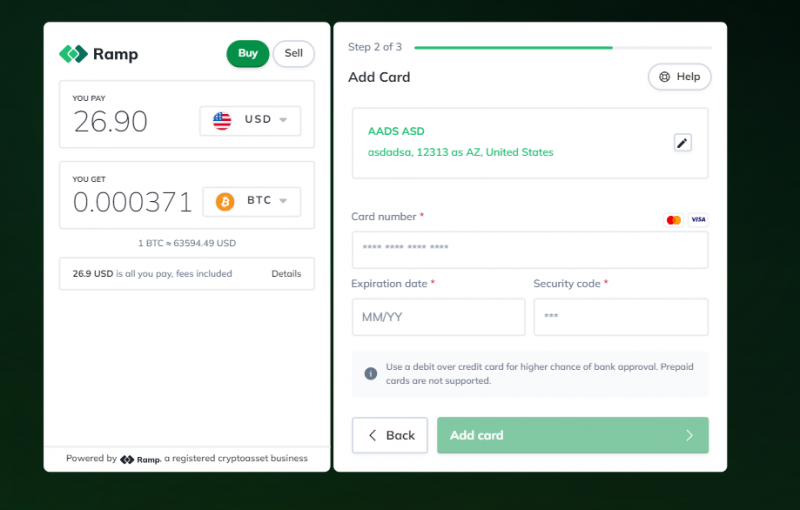
6. Make the payment and share the payment completion screenshot/email on support@dbexam.com with the following details.
- Your DBExam Registered Username or Email:
- Exam Full Name/Code:
-
BTC Transaction ID/Number:
(if you are not able to find the transaction ID, please provide us a screenshot of the transaction) - BTC Transaction Date and Time:
Note: For any queries/issues, don't hesitate to get in touch with us on support@dbexam.com


